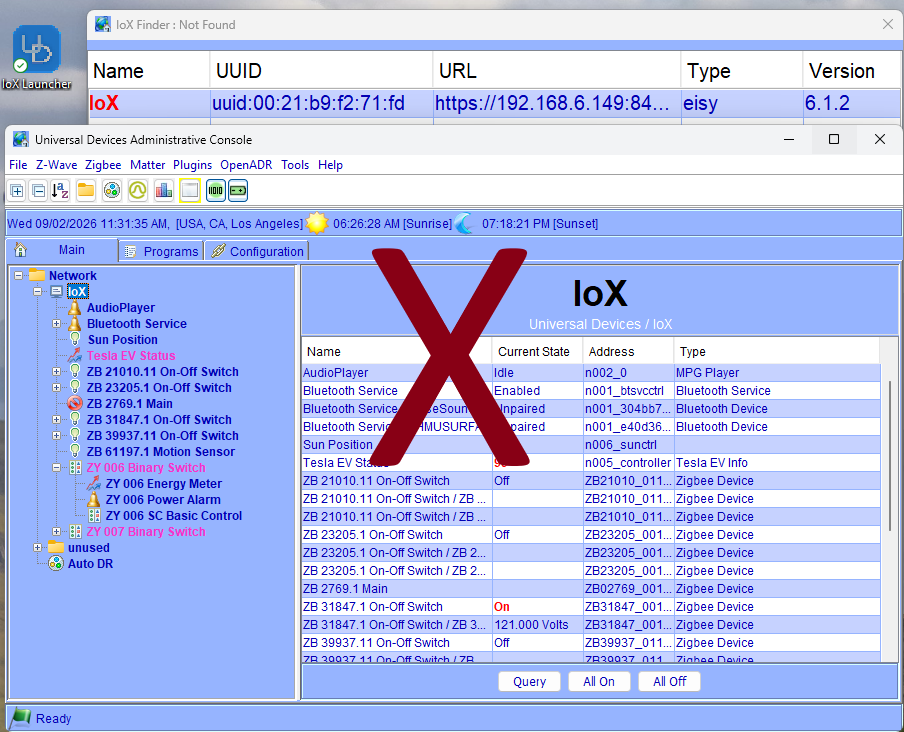
Admin Console Support Ends 12/15/2026
The Java Admin Console was a workhorse. For years it gave you direct access to your systems, and it did the job. But if you’ve been fighting cache errors, wrestling with Java versions, or jumping through hoops just to get it to launch on your computer, you already know: it’s been showing its age for a while now.
On December 15, 2026, we’re officially ending support for the Admin Console. And honestly? We think you’re going to be glad we did.
What’s Happening and Why Now?
We didn’t make this call lightly. But the writing has been on the wall for some time, and we’d rather be honest with you than pretend otherwise.
– Java 8 stopped receiving public security updates in 2019: every OS update since has been quietly eroding the foundation Admin Console runs on.
– Apple Silicon made it worse: on M1/M2/M3 Macs, Admin Console only runs through Rosetta, Apple’s Intel translation layer, which Apple itself is now phasing out. Once Rosetta goes, there’s no workaround left.
– Windows isn’t immune: Java Web Start was removed from Java 11 and beyond, which means Windows users are permanently pinned to the legacy Java 8 runtime just to keep the console alive. That’s not a long-term plan.
After December 15, 2026, we’ll keep the codebase intact, but Java errors, install issues, and Rosetta workarounds will be on you to troubleshoot. We want to be upfront about that.
What This Means for ISY994 Users:
If your ISY994 is up and running and you don’t need to configure anything: nothing changes. Your unit keeps running on its own, no Admin Console required. That said, any settings not available in your mobile app may no longer be accessible once support ends. So, if there’s configuration work you’ve been putting off, now is the time to take care of it.
If you’re actively managing your setup, adding devices, editing programs, adjusting configurations, this is your signal to make the move now and upgrade to eisy, while the migration is easy, you have time, and the incentives are good. And, if you already have an ISY Portal subscription, your annual fees decrease by $15/year!
Your Path Forward: A Better Interface
This is the part we’re genuinely excited about.
Everything you did in the Admin Console: managing devices, editing programs, configuring your system, has been consolidated into our modern browser-based interface, eisy-ui. No Java, no installs, no Rosetta workarounds. If you can open a browser tab, you’re already home.
– No Java, no Rosetta, no legacy runtimes: your entire interface lives in the browser, on any device, on any OS.
– Full plugin support: extend your setup with Z-Wave*, Zigbee*, Matter, and hundreds of third-party plugins as your needs grow.
– The same ISY platform you know: your programs, your devices, your logic. Just without the friction.
And right now, upgrading is as affordable as it’s ever been: use code US4586AF to save 12% plus get 1 free year of ISY Portal, valid through 09/15/2026.
* insteon requires a PLM. To use your existing PLM, you also need the Serial PLM Kit [ link ].
* Z-Wave and Zigbee require supported off-the-shelf dongles [ link].
Upgrading Is eisy!
Whether you choose eisy | home r2 or eisy | lite, migrating from your 994 is straightforward, and now easier than ever.
– What You’ll Need
– Simple Instructions
-
For Insteon devices, migration is as simple as a backup and restore.
-
If you’re using a 500 series Z-Wave unit (models with ZW+), migration is just as seamless.
-
Your ISY Portal licenses and Alexa/Google Home configurations transfer with a single click.
-
Extend your system with hundreds of plugins: Click here for the full list
We’ve prepared comprehensive migration instructions to guide you every step of the way: Click here for the full guide.
The Admin Console served us well. Now there’s something better waiting, and we can’t wait for you to try it.
Thank you for being part of this journey with us. More good things are on the way.
—
Already on eisy? A huge thank you for testing eisy-ui; your feedback has been invaluable. We’re excited to let you know that the full feature release is now in beta. Stay tuned for coming improvements.

September 3, 2026 @ 6:42 am
Looks like we’re moving out quickly to remove the Java Admin Console… That’s great… But it’s not feature complete yet. I have some Z-Wave locks and when using easy-ui, I can’t set the user codes, I still need to use the Admin console… I can’t be the only one in this situation… Maybe I’m just not smart enough to figure out how to do it in the new UI…
I realize that “end of support” doesn’t mean “end of use”, but something tells me that you’re going to be making changes that will eventually break the Admin Console, and that could happen before there’s 100% feature parity.
I’d just like to see something formal that says you will commit to 100% feature parity before you pull the rug out.
These things literally run our homes…
September 3, 2026 @ 7:27 am
I have to second Jacob’s comment. I understand the need to sunset the console, but you have to a feature parity replacement as a starting point.
September 3, 2026 @ 7:31 am
I came here to say the same thing Jacob did – the web UI, like UD Mobile, does not have the Z-Wave lock user support that the admin console does. There is a very clunky way to do it directly in a web browser (see Javi’s replies to https://forum.universal-devices.com/topic/46164-managing-zw-lock-key-codes-in-ud-mobile-ever/).
When the most recent version of IoX was released, and I was in discussion with support about a bug I had found, I noted that lock support was still missing and was told WebUI was not yet complete. This was just a few weeks ago.
PLEASE add lock user support to both WebUI and UD Mobile! You already have the underpinnings of it (see above).
September 3, 2026 @ 7:33 am
Very informative – but the the one key piece of information that matters to everyone is missing: How to access the new browser-based interface…
September 3, 2026 @ 7:49 am
I think I’m agreeing with the other comments, I like the UI, I like the dashboards I’ve created, but I don’t see all the functionality yet (e.g. add a new Zwave device).
September 3, 2026 @ 7:50 am
Thank you all for the feedback.
1. Due to imminent possibility that AC would stop working on Mac, we had to make an announcement to give everyone enough time to make a decision. We could not leave this to the last minute.
2. With the exception of Network Resources (we’re still debating), eisy-ui will have 100% parity by that date.
3. We will have another beta release shortly
With kind regards,
Michel
September 3, 2026 @ 7:50 am
It’s already in beta.
September 3, 2026 @ 7:50 am
https://eisy.local
September 3, 2026 @ 8:29 am
What happens to Polisy users?
September 3, 2026 @ 8:39 am
Please spend the time to really test the system before rolling it out. Insteon suffered a huge loss of confidence when it “went out of business” a few years back. You lost alot of good will over that episode….some of us hung on because we could retain functionality so long as we made no changes. But the hub was gone, all support was gone, etc. Please DO NOT leave us high and dry again. Quality Testing should have your very best programmers involved…. let the dregs build new capability. Have your best engineers on ensuring quality PLEASE!!!..
September 3, 2026 @ 8:48 am
Where does Polisy fit in this – does it fall under the eISY bucket?
September 3, 2026 @ 8:59 am
“But the hub was gone, all support was gone, etc.”
I have absolutely no idea what this refers to. We have always stood behind our products, provided ample warning regarding what to expect, and went above and beyond any other company to provide support. As such, without being explicit as to what “episode” exactly you are referring to, I have absolutely nothing else to contribute.
September 3, 2026 @ 9:01 am
Polisy:
We do not test enhancements on Polisy. That said, as long as you have the latest version of eisy-ui, and as long as you stay on staging, AND while the OS remains on 14, you can always upgrade all components.
September 3, 2026 @ 9:02 am
I’m another one currently on Polisy. How does this affect us? Can we access the eisy-ui with a Polisy box?
September 3, 2026 @ 9:07 am
Please see below.
September 3, 2026 @ 10:04 am
I use the Java console app that UD supplies on my Mac. After December, will I not be able to launch and run this app? I do modify programs and use the console but I thought this was standalone.
September 3, 2026 @ 10:22 am
Greeeeeat, so another subscription. I rarely access the admin console since everything is setup. But now when I need to, the only way is the portal?
September 3, 2026 @ 10:27 am
Steve, where do you get this false information from? There’s NO new subscription. Also, if you already have a 994, your subscription fees decrease by $15/year when you migrate to eisy. So, please elaborate.
September 3, 2026 @ 10:28 am
Hi Paul,
Most probably you won’t be able to on Mac (Apples is discontinuing Rosetta), and soon after on Windows (Java 8 is legacy).
September 3, 2026 @ 11:17 am
Re: “With the exception of Network Resources (we’re still debating), eisy-ui will have 100% parity by that date.” Does that include UD Mobile? I asked nearly five years ago for lock user support in UD Mobile, it’s always been “planned”.
As for Network Resources, this is where one creates messages that can be sent when certain events happen. I hope that is still available.
September 3, 2026 @ 11:33 am
Steven,
UD Mobile will be using eisy-ui under the hoods.
September 3, 2026 @ 12:24 pm
Not
Excited for this forward momentum ,but still not clear on where Polisy stands.
“as long as you have the latest version of eisy-ui, and as long as you stay on staging, AND while the OS remains on 14, you can always upgrade all components.”
Is more clearly explained somewhere?
September 3, 2026 @ 12:33 pm
That should have read am excited!!!
September 3, 2026 @ 12:43 pm
Peter ,
ssh to polisy
sudo repo.util (go to staging)
sudo pkg install udx isy eisyui
September 3, 2026 @ 1:50 pm
The new console works on Chrome, but on Firefox I get “eisy is not reachable”.
September 3, 2026 @ 2:18 pm
It’s discomforting at best to hear all about discontinued support in less than 4 months for the admin portal when the replacement is only in beta with lots of features missing (programs, Insteon, scenes…), feature parity isn’t clear, you are “still debating” how a key feature like Network Resources will be handled. Hopefully there will be a reasonable overlap between the UI production availability and the discontinue support date.
What is the best way to learn when new beta versions are available?
September 3, 2026 @ 2:33 pm
I must be an idiot. How do we access the new platform? I saw references in the post for https://eisy.local, as well as eisy-ui. My browser is not able to connect to either of these.
What am I missing?
September 3, 2026 @ 2:46 pm
“‘But the hub was gone, all support was gone, etc.’
I have absolutely no idea what this refers to. ”
I think he might be confusing your company with Insteon/Smarthome itself.
September 3, 2026 @ 2:59 pm
Re: polisy, is it not possible to put the update as a button in the UI?
I found can select the repo to staging inside polisy but still have to do the install command.
September 3, 2026 @ 3:01 pm
What about scenes.. I see no support for scenes in the new EISY UI.
September 3, 2026 @ 3:03 pm
Howard, please submit a ticket.
September 3, 2026 @ 3:03 pm
Leonard, they are not missing. Please upgrade to Beta.
September 3, 2026 @ 3:04 pm
Jennifer,
https://eisy.local . If you still have problems, please submit a ticket.
September 3, 2026 @ 3:04 pm
Hi Randall,
Thank you. That makes sense now!
September 3, 2026 @ 3:05 pm
Hi Brian,
We’ll take a look.
September 3, 2026 @ 3:05 pm
Hi Brian,
In the UI, choose Beta repository and upgrade again.
September 3, 2026 @ 3:09 pm
Sweet, I can’t wait for the fully functional go-live of the web interface. It’ll be nice to not be tethered to a computer running Java. Instead, I’ll be able to walk around my property making adjustments to devices and programs with my phone. Thanks, Michel and team for the hard work.
September 3, 2026 @ 3:11 pm
Thank YOU, Tri!
September 3, 2026 @ 4:26 pm
Updated polisy and quite a bit of additions. Seems a bit clunkier though than the java console layout… will probably will just take some getting used to. But you seem to have added most of the low level configuration features at least… eg enabling/disabling insteon, zwave etc.. .which was one of the reasons to keep the java console around for… good work !
September 3, 2026 @ 6:44 pm
Hello Michel and crew,
While I’m most comfy with the admin console, I really won’t miss it and the issues keeping it going. I’ve been getting along really well with UD Mobile and eisy-ui.
UI. My big concern is the missing logs in UD Mobile. E.g. error – to do… I monitor most of my stuff from my iPhone and not having access to the logs is a big issue.
I have to say I’m pretty happy with the ability to edit programs on the web interface now. That said, the web interface still feels a little bit clunky. It will be a long time before I give up a macOS that will run Java but I’m happy to head towards the light!. I would love to see more focus UD mobile and the ability to do absolutely everything from that platform as well as eisy-ui!
-Xathros
September 3, 2026 @ 7:26 pm
HI All,
Network Resources, and Zwave User Codes will be in a coming release. Already tested
https://forum.universal-devices.com/topic/47000-sunset-of-java-admin-console-is-premature/#findComment-406781
https://forum.universal-devices.com/topic/47000-sunset-of-java-admin-console-is-premature/#findComment-406798
September 4, 2026 @ 7:40 am
So I need the beta to edit programs? There’s a comment above that says “In the UI, choose Beta repository and upgrade again”, where in the UI is this? Thanks.
September 4, 2026 @ 7:46 am
Hi Dennis,
Program Edits are in the latest production release, beta allows adding/configuring devices
September 4, 2026 @ 7:51 am
Sorry if I’m sounding stupid, but how to I upgrade my eisy to the latest production release? Do I just do the /settings/system Upgrade Packages button? My current list of packages all seem to be up-to-date.
September 4, 2026 @ 10:24 am
I welcome the removal of the Admin console, but I’m a bit confused. there is lots of information posted on upgrading from the 994, but no mention of what I’m supposed to do if I already have an Eisy home which I have accessing through the admin console. As I have investigated this, I think that I can do most of what I did with the admin console with the ISY portal. Is that the new method? Is there a local version of this or do I always go to the web now? …and is it complete? Is there nothing I can’t do that way that I could do with the Admin console?
September 4, 2026 @ 10:33 am
Hi Daniel,
If you have eisy, just make sure you stay up to date with software update notifications and stay current. In short, all the features for adding/configuring devices is in beta right now. Once we are in production, then we’ll send full instructions of what needs to be done.
September 4, 2026 @ 1:36 pm
Hi Dennis,
https://forum.universal-devices.com/topic/46914-os-144-release-is-now-available/#comment-406192
September 4, 2026 @ 2:54 pm
“If you have eisy, just make sure you stay up to date with software update notifications and stay current”
I have never received any update notification. How do we stay current?
September 4, 2026 @ 2:57 pm
Dennis, please sign up for our product news/announcements
September 5, 2026 @ 3:49 am
Yikes, all of my programs say “Unknown program” and “program does not exist”. All of them.
September 5, 2026 @ 11:23 am
Universal devices team,
Thank you for all your hard work and investment.
This email with client comments and your response is extremely useful.
Thank you!
September 5, 2026 @ 9:50 pm
Robert, please submit a ticket.
September 6, 2026 @ 9:07 am
Upgraded my Eisy to the new software yesterday. Everything seems to have gone smoothly. Couldn’t log in to Eisy.local at first but logged in without a problem this morning. Will take a little getting used to as with all changes but looking forward to not using Java and hopefully added stability going forward. Thanks!
September 7, 2026 @ 12:57 pm
When I try to go to https://eisy.local I get an error in Firefox saying “something doesn’t look right”. They say:
What makes the site look dangerous?
There’s an issue with the site’s certificate. It’s possible that a bad actor is trying to impersonate the site. Sites use certificates issued by a certificate authority to prove they’re really who they say they are. Firefox doesn’t trust this site because we can’t tell who issued the certificate, it’s self-signed, or the site isn’t sending intermediate certificates we trust.
What can you do about it?
Probably nothing, since it’s likely there’s a problem with the site itself. But if you’re on a corporate network, your support team may have more info. If you’re using antivirus software, it may need to be configured to work with Firefox.
September 7, 2026 @ 1:11 pm
John, we are currently using self-signed certificates. But working on a solution. In the meantime, I guarantee that it’s safe to proceed on your LOCAL network.
September 7, 2026 @ 1:43 pm
Where/how do we report possible flaws? I got into the UI and started poking around and found some minor issues.
September 7, 2026 @ 1:46 pm
My Tickets!
September 12, 2026 @ 3:42 pm
New to this discussion but concerned above about the lack of insteon scenes? Is that true? Currently I have ISY994i and the admin console is the only way I’ve ever interfaced with it. Things are running smoothly but I do sometimes make changes or replace switches. I hope things migrate without error and maintain functionality once I get EISY.
September 13, 2026 @ 9:38 pm
Hi David,
Not true at all.
With kind regards,
Michel
September 16, 2026 @ 1:46 pm
I’ve always seen eisy.local as a dashboard (that I very rarely use), not a management tool. It doesn’t seem to do a lot that the original admin console does, and that seems more obvious with the wave of comments here. Java be damned, I want a better tool in either case to set up complex routines but the OG just works. The fact that this was proposed as a replacement is wildly concerning.
From multiple ISY994s to an EISY now, I’ve been using these products for nearly 20 years and I will rain praise on Michel maybe forever…..but this thread highlights a disconnect, and need for real customer service based on some of these responses, ha.
September 16, 2026 @ 1:50 pm
Michael,
Have you actually used eisy-ui?
September 16, 2026 @ 3:31 pm
That kind of response is exactly what I was referring to.
I sorta figured that referencing eisy.local would’ve suggested that yes I’ve used it. Maybe there’s some other webtool that shows “eisy-ui” in a Chrome tab, please let me know about it.
I can give you a long list if you want to have a meaningful conversation but it doesn’t sound like you’re into that.
September 16, 2026 @ 4:29 pm
This link is not the right place for meaningful conversation, nor is it where you find up to date information about latest developments and enhancements, and definitely not the place to suggest enhancements. Please use the Forum. If you have technical difficulties, please submit a Ticket.
September 16, 2026 @ 6:34 pm
No more Java sounds like it could be good. I have gotten stuck on Mac side of things. The mobile app has failed me to add Insteon devices and edit Insteon programs. After my debacle with a dead PLM and a failed switch to Polisy + USB; needing Michel to rescue my setup; I have not really dared to touch things.
So, now we need to buy an R2 or EISY?
And do another migration?
I guess I better try to see again what’s what … and maybe try to figure out where I’m standing with Polisy.
September 16, 2026 @ 7:22 pm
Hi Frank,
No, you can use your Polisy. Please submit a ticket.
September 16, 2026 @ 11:05 pm
I just spent some time with the new UX and in a word it sucks. I get the rational for sunsetting the existing interface and agree with it. But the replacement is an inferior web interface like so many desktop apps that have been replaced by web served interfaces.
While a web interface has some benefits they tend to provide less data, are inefficient and sadly unituitive because they end up burying information on more dialogs because they can’t display as much info on a single page.
I’ll figure it out, but I’m disappointed with the step back in the UX.
September 16, 2026 @ 11:06 pm
Hi Peter,
Excellent feedback and concrete examples of what exactly sucks. Thank you.
September 18, 2026 @ 12:15 pm
“There’s NO new subscription. Also, if you already have a 994, your subscription fees decrease by $15/year when you migrate to eisy.”
I don’t have a subscription now, so does that mean you will be paying me $15/year?
September 18, 2026 @ 12:23 pm
Very funny.
September 20, 2026 @ 4:14 pm
I came across this post and tried to find the web ui on eisy to see how I could manage my Insteon without the java app, but couldn’t find the web UI. With some ChatGPT help I got my eisy updated and now I am on IoX 6.1.1 and eisy UI 1.2.2, and I see the nodes and stuff (I had never used the node server stuff in the past, so that is new to me.)
Anyway like a few other posters here I don’t see any sign of Insteon management in the UI, I can see the devices, turn then on and off, etc. but I don’t see anything about managing links and scenes, or being able to see diagnostics about what Insteon messages are flowing through my PLM/network.
Above posts say that feature parity is coming in the Eisy UI, so that’s great.
My actual question…
If I move to a beta release (looks like 6.1.2_3 and 1.3.7_1 are available in the beta repo), can I still use the java admin console to manage insteon while I am playing with the new stuff?
and
Can we get confirmation that “feature parity” (will) include things like Tools, Diagnostics, Event viewer (from the java console), manage keypad buttons, ability to set Insteon device specific parameters, and all the other low level stuff needed to manage Insteon?
Thanks,
Rex
September 20, 2026 @ 4:41 pm
Rex,
Yes, 95% feature parity in beta including insteon management. Regardless, this is not the right place for support questions. Please either submit a ticket or consult the forums [ link ].
With kind regards,
Michel